


News & trends
Ask AI and MCP: your Worktivity data, in plain language
Worktivity now answers questions about your team, projects and time in plain language, and connects to ChatGPT, Claude and any MCP tool.
Worktivity Team15 min read

Most "best billable hours software" lists are written by affiliates ranking the tools that paid them last. This one is written by people who sell one of these tools and still tell you when somebody else's product is the right call.
If your team bills clients by the hour, the wrong time tracking tool costs more than the right tool's subscription. Agencies under-bill by 15-25% every quarter. Legal practices write off senior partner work because it never made it into the timer. Freelancers lose hours to "I'll log it later" and end up cutting their effective rate without realizing it.
This guide walks through seven of the most-used billable hours tools, with the same honesty applied to each. Where it wins. Where it does not. Who should buy it. Who should skip it.
The seven tools covered:
If you only have five minutes, skip to the decision framework at the end. It asks three questions and tells you which one to evaluate.
Before any tool comparison, the buyer needs to understand why billable hours tracking is hard in the first place.
It is not a calendar problem. Calendars are full of meetings that may or may not be billable.
It is not a project management problem. Project management tools tell you what work is on the board, not how long each piece of work actually took.
It is not a pricing problem. The agencies and law firms with the strongest pricing still lose 15-25% of billable hours to tracking gaps.
The actual problem is that billable hours happen as work happens. The contributor is in flow. The senior partner is on a client call. The developer is debugging a critical pipeline. None of them want to stop, switch context, and write down what they just did. So they wait. Then they do not remember. Then the hour gets rounded down, logged at the wrong rate, attributed to the wrong client matter, or skipped entirely.
The right time tracking software solves for that one moment: the second between the work happening and the work being captured. The closer the tool gets to zero friction at that moment, the more of the team's actual work makes it into the billing data.
The seven tools below take different approaches to this problem. Some lean automatic (the tool detects what application is open and assigns time). Some lean manual but fast (one-click timer). Some lean structured (timesheet with required fields). The right choice depends on what your team already does and how much manual logging effort they will accept.
For each tool, the same six questions get answered.
No score. No "winner of 2026." The right tool is the one that fits your team's billing model, your contributors' workflow, and your budget.
What it actually does: Free-forever time tracker with paid tiers for billable hour reporting, invoicing, and team management. Built by COING, used by over 4 million users.
Where it wins: Free tier is the largest in the market. Unlimited users and projects on the free plan, which is rare. 90+ native integrations including QuickBooks, Trello, Asana, and Jira. Manual timer, automatic tracking, kiosk mode for shift-based teams, and a clean invoicing layer in paid tiers. The "Pomodoro timer" and idle detection are useful for solo and small-team users.
Where it does not win: The free tier is great for individuals but lacks the billable rate flexibility most agencies need. Project profitability and budget alerts are gated behind higher tiers. The UI feels denser than Toggl or Harvest, with more configuration surface before useful reports show up. For high-end legal billing (trust accounting, matter-based billing), Clockify is not the right shape.
Ideal customer: Solo freelancers, small teams, distributed teams on tight budgets. Strong fit when free-tier coverage and integration breadth matter more than premium polish.
Mobile, integrations, pricing: Mobile yes (iOS and Android). Integrations 90+ native. Pricing: Free forever, Basic $4.99 per user per month, Standard $6.99, Pro $9.99, Enterprise $14.99.
Verdict: The default first choice for anyone who wants a working free tracker. Upgrade when invoicing or project profitability becomes critical.
What it actually does: Time tracker known for clean UX and one-click timers, with paid tiers for billable rate management, time rounding, and team reporting.
Where it wins: Best-in-class UX in the category. The timer starts in one click. Manual entry, calendar integration, and idle detection are tightly designed. Billable rates can be set by workspace, project, or member. Toggl's explicit anti-surveillance stance ("no screenshots, no keystroke tracking") matters for agencies who care about cultural fit. 100+ integrations cover most agency stacks (Salesforce, Jira, QuickBooks, Google Calendar, Outlook).
Where it does not win: Reporting can feel limited in the lower tiers. Project profitability analysis is not as deep as Harvest or TimeCamp. There is no native invoicing in the lower tiers, so agencies who want billing-to-payment in one tool will need a Stripe or QuickBooks integration. The pricing per seat adds up faster than Clockify for larger teams.
Ideal customer: Knowledge workers, design and creative agencies, consultancies. Strong fit when contributor experience and cultural alignment with non-surveillance principles are deal-breakers.
Mobile, integrations, pricing: Mobile yes (iOS and Android, excellent app). Integrations 100+ native. Pricing: Free (5 users), Starter $9 per user per month, Premium $18, Enterprise custom.
Verdict: If contributor experience is the top criterion and the team will actually use the tool, Toggl is the strongest pick.
What it actually does: Time tracking and invoicing platform with strong project profitability features. Long history serving design agencies, consultancies, and small professional services firms.
Where it wins: Invoicing-to-payment flow is the strongest in this list. Native Stripe and PayPal integration means an invoice generated in Harvest gets paid online without leaving the tool. QuickBooks and Xero direct sync. Project profitability tracking with budget alerts. Expense tracking included. Harvest's positioning has always been "the tool agencies actually finish their billing in," and the product holds that promise.
Where it does not win: Fewer named integrations than Clockify or Toggl. The product is opinionated about how billing should work, which is a strength for teams that fit and a friction for teams that do not. No team-monitoring or productivity features (intentionally). For larger teams looking for utilization and capacity dashboards, Harvest is not the right layer.
Ideal customer: Small-to-mid design agencies, creative studios, consultancies, billable consultants. Strong fit when the team's main bottleneck is "we tracked the time but never finished the invoicing."
Mobile, integrations, pricing: Mobile yes (iOS and Android). Integrations cover Asana, Slack, Stripe, PayPal, QuickBooks, Xero, and 100+ via Zapier. Pricing: Free for solo (1 user, 2 projects), Pro $13.75 per user per month.
Verdict: The agency favorite for a reason. Pick Harvest when the invoicing chain is the bottleneck, not the tracking.
What it actually does: Time tracking with deep activity tracking, project budget alerts, and a "profit leak identification" feature that flags hours that did not bill back correctly.
Where it wins: 50+ integrations including two-way Jira sync (rare in this category), Asana, GitHub, Slack, Monday, Notion, Trello, and Azure DevOps. Strong for engineering and product teams that live in Jira. Activity tracking surfaces idle time and app usage. Profit leak identification gives team leads visibility into which projects are losing margin without obvious reason.
Where it does not win: Less brand recognition than Hubstaff or Toggl, which means smaller community and fewer outside reviews. The UI is functional but feels less polished than Toggl. Mobile is present but not as strong as desktop. For agency or legal billable workflows, TMetric is solid but not specialized.
Ideal customer: Engineering and tech teams using Jira-Asana stacks. Mid-market operations leaders who want activity-aware time tracking without the Hubstaff BPO framing.
Mobile, integrations, pricing: Mobile yes. Integrations 50+ including two-way Jira sync. Pricing: Free (5 users), Professional $5 per user per month, Business $7 per user per month.
Verdict: The right pick when the team's primary workflow is Jira-heavy and profit leak visibility matters more than invoicing polish.
What it actually does: Legal time-and-billing software purpose-built for law firms, with trust accounting, matter-based billing, and client portal capabilities.
Where it wins: Trust accounting (the safe holding of client funds with automatic ledger updates and audit trails) is non-negotiable for many legal practices, and Bill4Time owns this feature. Matter-based billing tied to specific clients and legal matters. Common billing increments like 0.1 or 0.25 hours built in. Secure client portal for invoice review and online payment. QuickBooks sync without double entry.
Where it does not win: Bill4Time is built for one vertical. A marketing agency, a software development team, or an outsourced operations function will not find their workflows in Bill4Time. The pricing reflects the vertical specialization ($39 per user per month is high compared to general-purpose tools). Outside of legal, the product is overkill and underfit.
Ideal customer: Law firms of any size. Paralegal teams. Independent legal practices that bill by matter and need trust accounting compliance.
Mobile, integrations, pricing: Mobile yes (iOS and Android). Integrations focus on legal-specific stacks: QuickBooks and Box for document management. Pricing: $39 per user per month annually.
Verdict: The right pick for legal practices. Skip if you are not a law firm.
What it actually does: Time tracking with automatic keyword-based detection, geofencing for field workers, billable rate management with history, and profitability analytics.
Where it wins: Automatic tracking assigns time to projects based on application and URL keywords, which reduces the contributor's manual logging burden. Geofencing for field teams is a useful niche feature. Billable rates with historical tracking matter for agencies that change rates over time. Built-in invoicing from Starter tier upward. Profitability claim: "Increased by 30% in less than 3 months."
Where it does not win: Tier-gating is heavy. Screenshots are only on the Ultimate tier ($13.99 per user per month). Integrations are limited in lower tiers. The UI can feel cluttered compared to Toggl. For pure billable hours simplicity, TimeCamp adds more product surface than some teams need.
Ideal customer: Field teams with off-site work, profitability-focused agencies, hybrid in-office/remote setups where automatic tracking reduces logging friction.
Mobile, integrations, pricing: Mobile yes. Integrations 100+ tools. Pricing: Free, Starter $5.49 per user per month, Premium $9.99, Ultimate $13.99, Enterprise custom.
Verdict: Strong middle-ground pick when automatic tracking is important and the team is willing to navigate the tier structure.
What it actually does: AI-powered workforce intelligence platform with billable hours capture, productivity analytics, and AI Productivity Coach. Built for operations leaders running hybrid and distributed teams.
Where it wins:
Where it does not win (the honest part):
Ideal customer: Mid-market operations leaders running hybrid or distributed teams who want billable hour visibility plus AI coaching, are willing to bridge integration gaps with Zapier, and care about the price point. Strongest fit: agency operations directors, outsourcing operations heads, software development team leads.
Mobile, integrations, pricing: Mobile no (planned). Integrations 3 live + 5 on roadmap. Pricing $3.99 per user per month, 14-day free trial without credit card.
Verdict: The right pick when the buyer is operations-led, the budget needs to stretch, and the team will accept the integration trade-off. Not the right pick if mobile work or deep native integrations are non-negotiable.
The math behind the comparison matters more than the comparison.
Across the agency, legal, and outsourcing operations using Worktivity, the consistent under-billing pattern looks like this:
The combined effect on a 30-person agency billing at $150 per hour is approximately $1.87 million in annual under-billing. That number is not unique to Worktivity customers. It shows up in every operational study of billable hour capture that has been published in the last five years.
The right time tracking tool is the one that closes the gap between work happening and work being captured. Any of the seven tools above can do that, with different trade-offs. The wrong move is buying no tool at all and hoping the team remembers on Friday.
Two answers usually narrow the list to two tools. A free trial of each settles it.
Which is the best software to track billable hours?
There is no single best. The right answer depends on how the team bills (project, retainer, matter, or hourly), where the team works (desk, hybrid, field), and how much the team will spend per user. For most general-purpose billable work, Toggl Track and Harvest are the strongest defaults. For legal, Bill4Time. For tight budgets with operations-first focus, Worktivity. The 7-tool comparison above maps each one to its best-fit scenario.
Is Clockify actually free?
Yes. Clockify's free tier supports unlimited users and unlimited projects, with core time tracking, manual entry, and reporting included. Billable rate management, invoicing, and project budget alerts require paid tiers (Basic $4.99 to Enterprise $14.99 per user per month). For solo freelancers and small teams, the free tier is genuinely usable.
How to keep track of billable hours?
The principle that matters more than the tool: capture time as the work happens, not at the end of the week. The closer the entry is to the moment of work, the more accurate the billable picture. A simple workflow: start a timer when work begins, stop when it ends, log the project and matter immediately. Any of the seven tools above support this. The differences are in integration depth, invoicing capability, and pricing.
What's the difference between time tracking and billable hours tracking?
Time tracking captures any time spent (billable or not). Billable hours tracking adds rate, client, and project attribution so the captured time can become an invoice. All seven tools above handle both. The tools that specialize in billable hours (Harvest, Bill4Time, Worktivity) add features like billable rate management, client portals, or contribution data visibility that pure time trackers do not.
Can I switch tools without losing time data?
Most of the tools above support CSV export of historical time entries. Toggl, Harvest, Clockify, and Worktivity all offer export. Migrating client data, billable rates, and project structure usually takes a few hours of manual setup. The bigger switching cost is contributor habit. Plan a two-week parallel run when switching tools, with the team logging in both for the first week. That avoids data gaps.
The seven tools above all work. The difference between them is who they were built for. Pick the tool whose ideal customer matches your team's actual shape. Skip the rest.
If your team is mid-market, operations-led, and the budget needs to stretch, Worktivity offers a 14-day free trial without a credit card at useworktivity.com. If your team is not that shape, one of the other six is your answer.
More from the same corner of the blog.
Worktivity now answers questions about your team, projects and time in plain language, and connects to ChatGPT, Claude and any MCP tool.
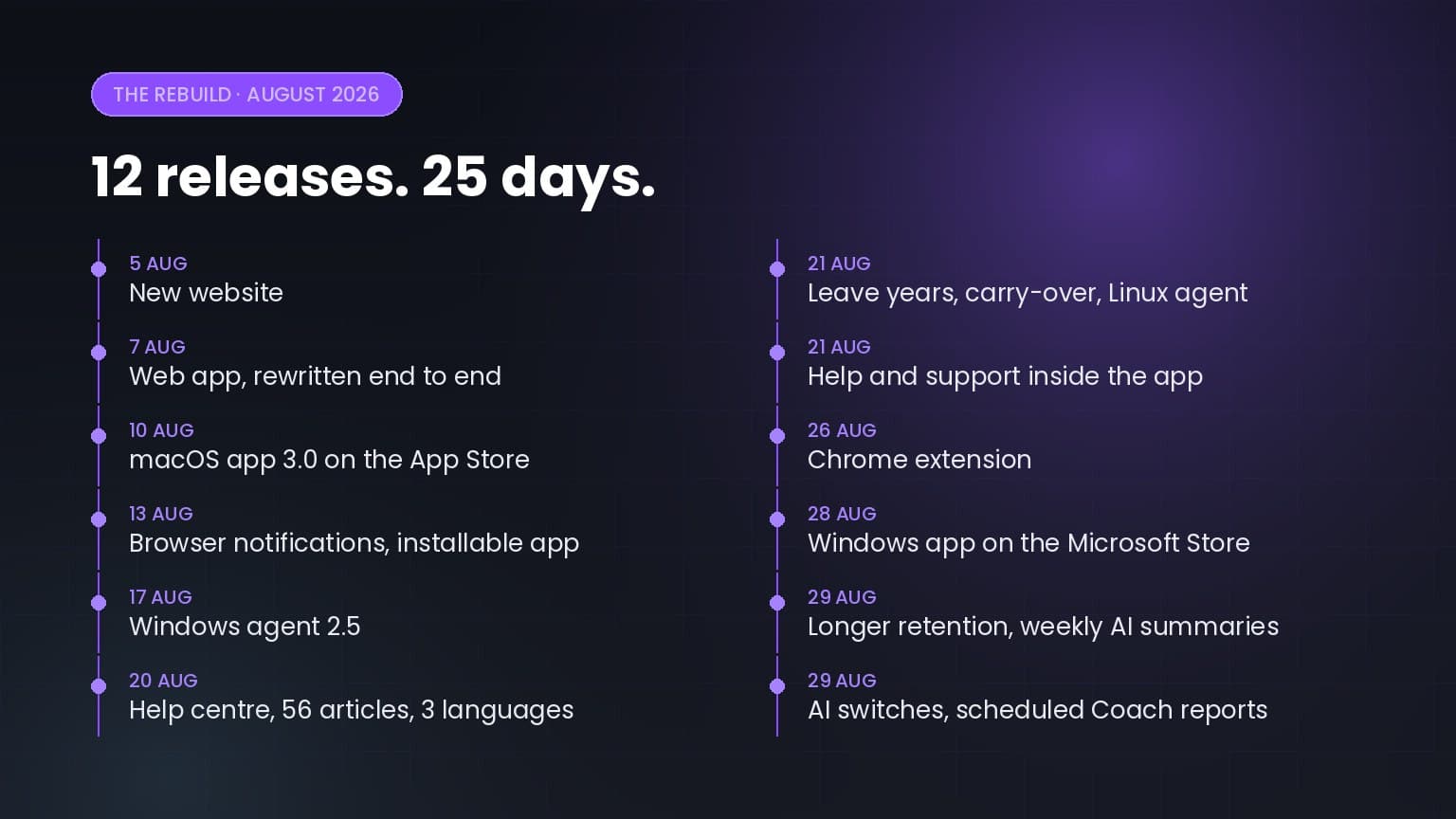
Twelve releases in twenty-five days: a rewritten web app, apps for macOS, Windows, Linux and Chrome, a help centre in three languages, and a…

5+ up-to-date statistics on hybrid and remote work productivity, RTO mandates, employee monitoring, burnout, and where the workday actually goes in…
Worktivity turns the activity your team already generates into a picture you can act on: automatic time tracking, productivity scores and payout-ready reports.
Free 14-day trial. No credit card required.