

Product Guide
How can I configure screenshots: blurred, unblurred, or disabled?
Discover how to configure Worktivity screenshots: choose blurred, unblurred, or completely disable them to balance productivity tracking and privacy.
Everything we have published on Product Guide, newest first.
Discover how to configure Worktivity screenshots: choose blurred, unblurred, or completely disable them to balance productivity tracking and privacy.
Learn how Worktivity Timelapse Videos help you visualize team activity and project progress, giving quick insights.
Understand how Worktivity’s Activity Level feature automatically tracks team productivity, giving insights into engagement and work patterns without…
We’re making time management easier with Worktivity! With our new Auto Clock-In feature, your timer starts automatically when you turn on your…
This feature allows you to adjust your work hours in case you forget to start Worktivity during your working hours due to busyness or if you forget…
Hi friends! 🌞 Today we wanted to share information about the great benefits and usage of the Worktivity Desktop application with you. 💻👨💼 This…
Hello friends! 🙌 In this article, we will discuss how we can better control our team with Worktivity and what we need to pay attention to. 🧑💻
Hello friends! 👋 In today's post, we'll be talking about the great benefits of Worktivity's "Review App" section and how to use it step by step. 🤓
Hello, 👋 In today's post, we will talk step-by-step about the benefits and how-to of Worktivity's "Productivity" section. 🤓
Hello friends! 🤗 In today's post, we will talk about our subscription plans and how to start a subscription step by step. 👨💻💰
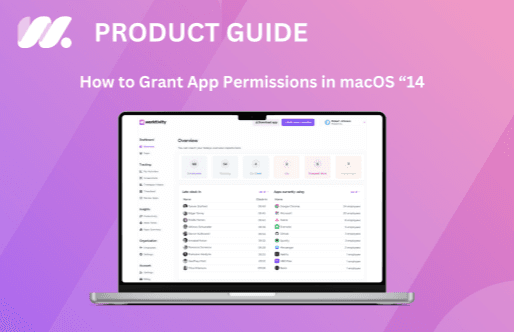
In this guide, we will provide you with a detailed guide on how to grant app permissions in macOS 14 (Mojave).
Hello friends! 🤗 In order to ensure uninterrupted productivity and smooth continuation of your subscription, you need to add your payment method…
Worktivity turns the activity your team already generates into a picture you can act on: automatic time tracking, productivity scores and payout-ready reports.
Free 14-day trial. No credit card required.