

News & trends
ActivTrak alternatives: 6 questions to ask before you switch
Looking for an ActivTrak alternative? Six questions on recorded data, screenshots, employee visibility, productivity labels, pricing terms and…
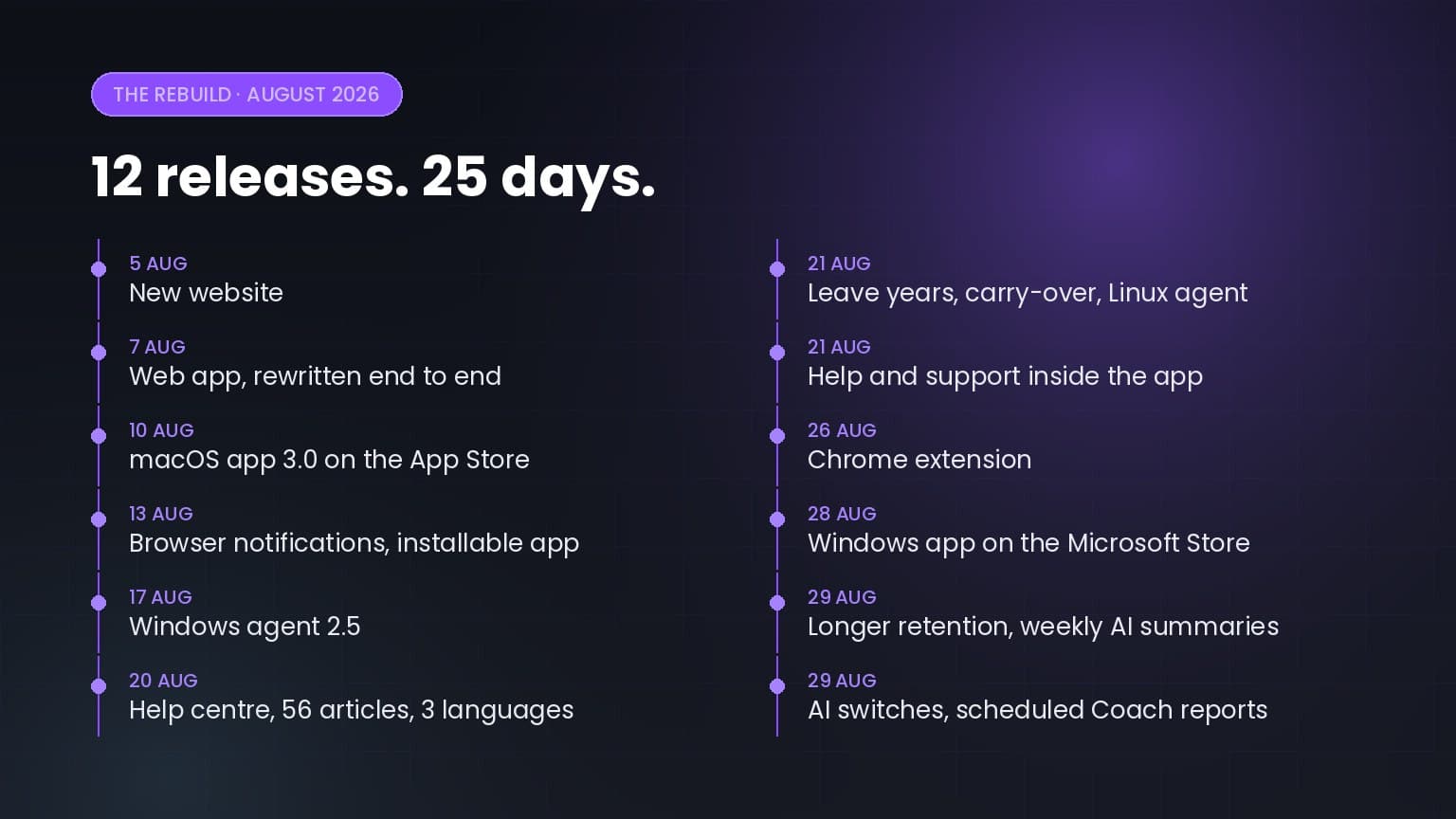
On 5 August we posted a release note saying we had started a ground-up rebuild of Worktivity, and that it would touch the website, the web app and the desktop agents. Then we listed what was coming next.
Twenty-five days later all of it has shipped, plus three platforms and a set of AI controls that were not on the original list.
Worktivity had grown feature by feature for years. That is how most products grow, and it works until it does not. Screens added at different times started to feel like different products. The agent carried assumptions from an earlier version of itself. Reports were fast enough, but never instant.
So instead of patching, we rebuilt. The goal was narrow: make Worktivity faster and easier to trust, without losing anything teams already relied on.
| Date | What shipped |
|---|---|
| 5 August | New website |
| 7 August | New web app, rewritten end to end |
| 10 August | macOS agent 3.0.0, on the Mac App Store |
| 13 August | Browser notifications, and Worktivity installable as an app |
| 17 August | Windows agent 2.5 |
| 20 August | Help center, 56 articles in English, Turkish and German |
| 21 August | Leave years and automatic carry-over, plus the Linux agent |
| 21 August | Help and support inside the app, and a public feature request pool |
| 26 August | Chrome extension |
| 28 August | Windows app on the Microsoft Store, written from scratch |
| 29 August | Longer retention add-ons, and weekly AI summaries on five insight screens |
| 29 August | A switch per AI feature, and Coach reports that schedule themselves |
Each of those notes ended by naming the next one. The website note said the web app was next. The web app note said the desktop agents were next. The macOS note said Windows was next. Every one was kept, in order.
We are writing that down because it is the part that is hardest to claim and easiest to check. The notes are dated and public.
Every screen was redrawn and the technology underneath was replaced. Dashboard, timesheet, screenshots, projects, Insights, costs, leave and settings, all of it. Light and dark throughout, English, Turkish and German, and a layout that works on a phone.
What did not change is the part that usually makes a rewrite frightening: same address, same account, same password. All history in place, reports running on the same data. If you had the app open during the switch, a page refresh was the whole migration.
The desktop agent is what quietly does the tracking, so it was rebuilt everywhere.
apt upgrade or dnf upgrade. On openSUSE the package installs but the update source is not picked up, so updates there are manual.All the desktop agents keep recording when the connection drops; records wait on the computer and upload themselves later. The Queue tab shows what is pending, but never the contents of a screenshot, because that window sits on a desk where other people can see it.
There are now 56 help articles in English, Turkish and German, each written in front of the screen it describes. The search reads meaning rather than words: type "my hours are missing" and you land on the article about manual time entries, though neither phrase is in its title.
Since 21 August all of it is reachable without leaving the app. A panel opens over whatever screen you are on: search, open a support request with your plan and version attached automatically, and follow the reply in the same thread. It also carries a public pool where anyone can ask for a feature and vote. Names and organizations are never shown, and when we decide not to build something the reason is written there.
Leave used to sit as an open-ended entitlement until somebody used it. It now runs on a leave year that renews on the calendar year or each person’s hire anniversary, and unused days carry over on their own, with an optional cap and expiry.
Carry-over and expiry each appear as their own row, written by Worktivity, so a balance never quietly changes without an explanation next to it. An approved request can no longer be deleted, so agreed leave cannot vanish from the record. The payroll calculator was deliberately left untouched: it pays for what was tracked, and being on leave does not change what was tracked.
The Coach has been in Worktivity since February, but the version running now is not the one that shipped then.
A report reads one person’s tracked activity over a period between 8 and 31 days and writes it up. A full analysis now carries five sections:
Three narrower report types cost less and produce only their own section. The PDF is built from the report data rather than a picture of the page, so the text stays searchable.
Two things worth knowing before you look for it. Ordering is limited to owners and co-owners, and reports are paid for in credits bought as an add-on rather than included in a plan. Credits are deducted when the order is placed, and a failed report can be retried at no extra cost.
Since 29 August a rule can order them for you: for the whole organization, one team or one person, weekly or monthly, emailed to the addresses you choose. The email carries the report as a PDF attachment, so someone without a Worktivity account can read it.
A preview shows how many reports a run would open, what it would cost, and where your monthly cap sits. It writes nothing. If credits fall short no orders open at all: half a team’s reports would be worse than none, so the run is skipped and the recipients are told why.
Late-night and weekend days used to be counted against UTC and a fixed Monday-to-Friday week. Both now use your organization’s timezone and the working days you actually set. A team working Sunday to Thursday is no longer flagged for weekend work, and an evening hour in Istanbul is no longer counted as the middle of the night.
Organization settings now carry an AI features tab. Summaries, Coach reports, automatic app rating and productivity suggestions each have their own switch, so turning one off does not quietly turn off the others. The same screen holds a monthly credit cap with this month’s spend printed underneath it, so you are not setting a limit blind.
Only owners and co-owners see the tab, and turning something off takes effect the same minute. There is no queue to drain and no overnight job.
Employee names are replaced with placeholders before anything leaves Worktivity. Insight summaries already did this; Coach reports do it now too.
Activity data, timesheets and payroll records are kept for 12 months on Starter, Growth and Pro. Screenshots and timelapse videos are heavier, so they keep their own schedule: 2 months on Starter, 4 on Growth, 6 on Pro. On the free trial everything is kept for 1 month.
Two optional add-ons extend those windows without changing plan. Extended data retention, $1.99 per user per month, keeps activity data, timesheets and payroll records for 6 years. Extended screenshot retention, $2.99 per user per month, keeps screenshots and timelapse videos for 12 months on every plan. Cancel either one and the longer window stays in force for two more months before anything is deleted, so cancelling by mistake does not cost you your history.
This is the part we would rather be precise about than eloquent.
Nothing is collected until the person accepts it. The first time someone clocks in, the agent lists what their organization will record and waits. Activity level means how many seconds of each minute had keyboard or mouse input; it never records what you type. Screenshots are never taken during a break.
The help center carries a plain list of what Worktivity never reads at all: what you type, what you write in messages, the contents of your files, your camera, your microphone, your location.
Beyond that sit switches an organization controls, and some go further than this category usually does. Screenshots can be blurred so content cannot be read. Website addresses can be left unrecorded. Tracking settings can be set for one person rather than everyone. And employees can be given access to their own screenshots, including permanent deletion. No bin, no undo.
Those are settings an owner turns on, not promises we make on an employee’s behalf. What we control is whether the switch exists.
In the same spirit: Worktivity also has a background mode that hides the agent on Windows. Some deployments require it. We show a warning next to the switch because whether you may run tracking invisibly depends on the law where that person works, and those rules differ from the ones covering visible tracking. We would rather you heard that from us than found it in the help center.
If you tried Worktivity earlier this year, what you saw is not what is running now. Two things are worth knowing: you can try it without installing anything, because the Chrome extension covers shifts, breaks, tasks and work notes. And nothing you had has moved, old workspace included.
The full release note for each of the twelve, with the detail this summary skips, is on the changelog.
We have named the next step in every release note this month, so it would be strange to stop now. The native Windows app on the Microsoft Store was the one we said was close, and it shipped on 28 August; the downloadable agent stays available for machines that cannot use the Store.
After that, the feature request pool inside the app is where the list gets decided. It is public and the votes are visible, which makes it a more honest roadmap than one we write by ourselves.
If you want to see the new version, start a 14-day free trial or book a 15-minute walkthrough. If you already have an account, all of it is already there.
More from the same corner of the blog.
Looking for an ActivTrak alternative? Six questions on recorded data, screenshots, employee visibility, productivity labels, pricing terms and…

Worktivity now answers questions about your team, projects and time in plain language, and connects to ChatGPT, Claude and any MCP tool.

5+ up-to-date statistics on hybrid and remote work productivity, RTO mandates, employee monitoring, burnout, and where the workday actually goes in…
Worktivity turns the activity your team already generates into a picture you can act on: automatic time tracking, productivity scores and payout-ready reports.
Free 14-day trial. No credit card required.