

Time tracking software that runs without timesheets
Automatic capture, project allocation and billing exports, accurate because nobody is remembering.
Manual timesheets get reconstructed on Friday afternoon from memory, and everyone knows it. Worktivity records time as it happens, allocates it to projects and clients, and hands the result to your invoicing system.
14-day free trial · No credit card required
What the time tracker does
Eight capabilities covering capture, allocation, billing and analysis.
Automatic time tracking
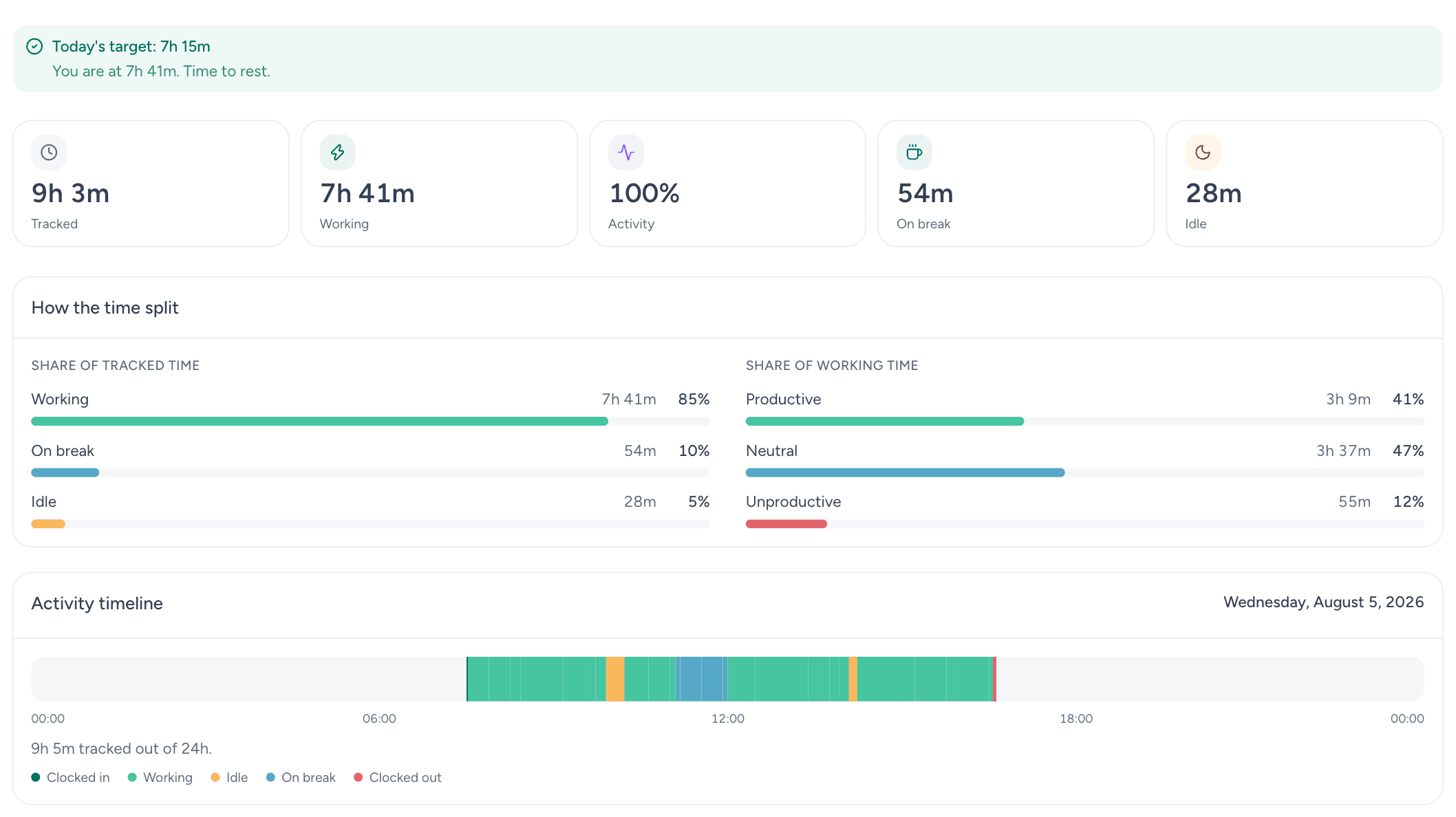
Hours are captured in the background from actual application and project activity. There is nothing to start, stop or remember.
Project-based time tracking
Time attributed to project, client and task, which is what makes profitability per engagement calculable rather than estimated.
Billing and invoicing
Billable hours with per-client and per-project rates, exportable straight into your invoicing system.
Real-time time reports
Daily, weekly, monthly and custom-range reports available continuously rather than compiled at period end.
Team time management
Team-level summaries showing where hours are concentrated and where capacity is sitting unused.
Integrations
Connections to project management and accounting tools including Asana, Trello, monday.com, Notion, Zapier, QuickBooks and Xero, so time reaches the systems that need it.
Mobile time tracking
iOS and Android apps for clocking in, allocating project time and reviewing records away from a desk.
Time analytics
Where hours actually go: peak hours, fragmentation, non-billable overhead and the trend in each of them.
What automatic capture is worth
Five effects of removing manual time entry from the process.
Hours you can defend
Automatic records are contemporaneous rather than reconstructed, which matters the moment a client questions an invoice.
Billing without disputes
Every billable minute is captured with a trail behind it, so line items can be substantiated rather than negotiated.
More billable time captured
What manual timesheets lose is mostly small increments nobody wrote down. Recovering them is typically worth 15-20% of billable hours.
Project profitability, calculated
Time by project against fee reveals which engagements make money and which are subsidized by the ones that do.
Payouts and compliance accuracy
Overtime, breaks and working time records produced automatically, which is the easiest form of compliance evidence to maintain.
Why automatic beats manual
Four differences between recording time and remembering it.
Contemporaneous capture
Time recorded at the moment it is spent has no recall error. Friday-afternoon reconstruction has a great deal of it, and always in the same direction.
No administrative overhead
The weekly timesheet ritual disappears, along with the chasing that surrounds it. That recovered time is itself worth something.
Profitability you can act on
Cost per project stops being an annual finance exercise and becomes something a project lead can see while the project is still running.
Resource decisions with data
Capacity, over-allocation and bench time are all visible, which makes staffing a calculation rather than an argument.
What time tracking changes
Typical figures from professional services customers after a full quarter.
80% less admin time
The manual entry, the chasing and the reconciliation all disappear when capture is automatic.
15-20% more billable hours
Recovered from the small increments that manual timesheets systematically lose.
20-25% productivity gain
Time awareness alone changes behavior, and the analytics identify where the remaining hours are going.
Who runs automatic time tracking
Sectors where hours are either the product or the primary cost.
Legal services & law firms
Billable-hour capture without manual entry, with a defensible record behind every line on the invoice.
Consulting & professional services
Project time, client engagements and utilization tracked continuously rather than reconstructed at month end.
Marketing & advertising agencies
Campaign time by client and phase, which is the basis for accurate billing and for honest scoping of the next brief.
Technology & software development
Estimation improves when actual time per task is known. Sprint planning stops being a guess with a confidence interval attached.
Construction & engineering
Labor hours across sites and projects, captured on mobile, feeding payouts and cost control directly.
Healthcare & medical services
Staff hours, shift records and compliance evidence produced automatically rather than assembled from paper.
Related Worktivity guides
Neighboring topics, in case you arrived here from a slightly different question.
The full comparison
We tested the tools in this category and wrote down what each one is actually good at. Longer, and more specific than a feature list.
Read the guideWorkforce Analytics Software
Strategic workforce data: retention risk, capacity forecasting and benchmarking.
Learn moreWorkforce Management Software
Attendance, scheduling, leave, working-time records and payout calculation in a single system.
Learn moreAI Productivity Software
Machine learning applied to the activity data your team already produces.
Learn moreWorking time recording in Germany
What German employers must record since the 2022 Federal Labour Court decision, and how time tracking helps.
Read the guide
Time tracking software questions
What teams ask before replacing manual timesheets.
What is time tracking software?
Software that records how work time is spent and allocates it to projects, clients or tasks. Automatic tracking removes manual entry entirely, which is where most timesheet error originates.
How does automatic time tracking work?
An agent runs in the background recording application and project activity and active work time. Worktivity attributes that time to the relevant project and produces reports without anyone filling in a form.
How accurate is automatic time tracking?
Considerably more accurate than manual entry, because it eliminates recall error rather than merely reducing it. Time is recorded as it happens rather than remembered later.
Can employees correct the record?
Yes. Entries can be adjusted and reallocated, with an edit trail, so an automatic record does not mean an unchallengeable one.
Does it integrate with invoicing systems?
Yes. QuickBooks, Xero, FreshBooks and others are supported, plus project tools like Asana, Trello, monday.com and Notion, so billable time flows into the systems that already run your billing.
How much does time tracking software cost?
$3.99 per user per month with a 14-day free trial. Enterprise plans add advanced controls and dedicated support.
Is there a mobile app?
Yes, for iOS and Android, which matters for field and site-based work where the desktop agent is not the primary record.
Is time tracking data secure?
Time records are encrypted in transit and at rest, access is scoped by role, retention follows your configured policy, and the platform operates in line with GDPR and comparable data protection regimes.
Stop reconstructing timesheets from memory
Fourteen days free. Most teams see the gap between recorded and remembered hours within the first week.
14-day free trial · No credit card required